







Skip to content

Pipe Estimating

PipePAK

Piping man-hour estimating for the field: enter quantities by work category on a tablet and see total man-hours, labor, material and total cost as you go.

Product walkthrough

See it working

Two walkthroughs. Click through each at your own pace.

01 · Estimate development

Set the job factors and build a pipe estimate

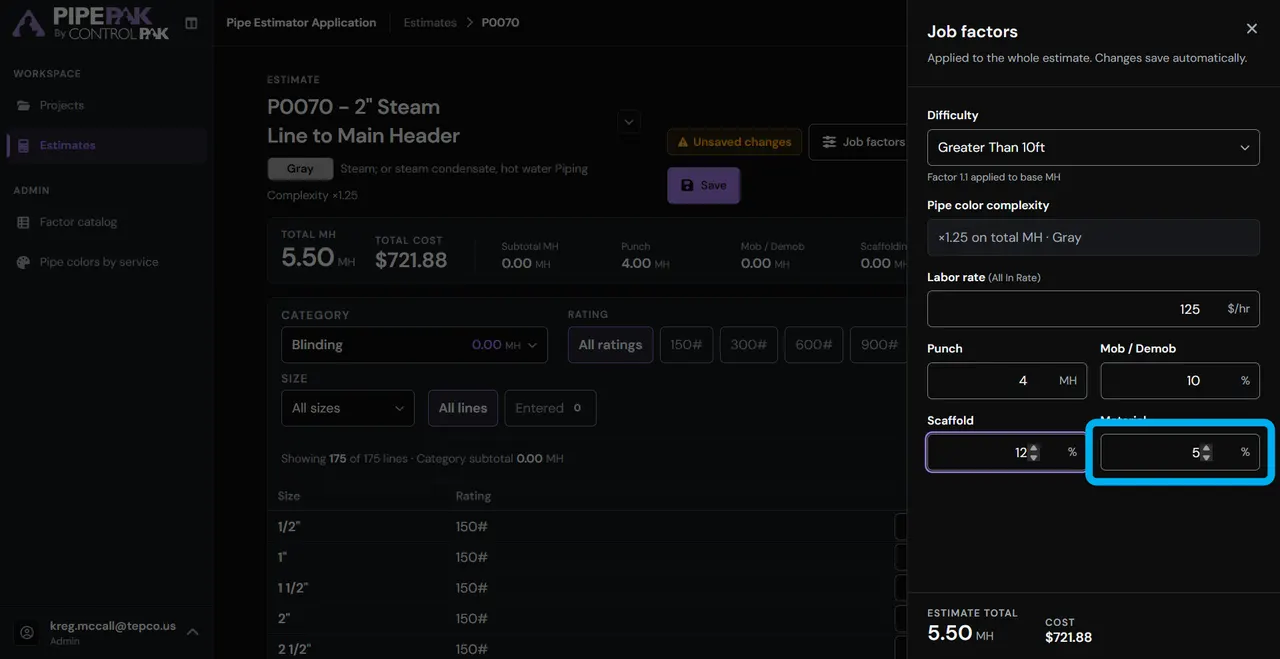
Set the labor rate, punch items and the percentages for mob/demob, scaffold and material. Then choose the work, its size and pressure rating, and see the estimated value.

Step 1 of 18

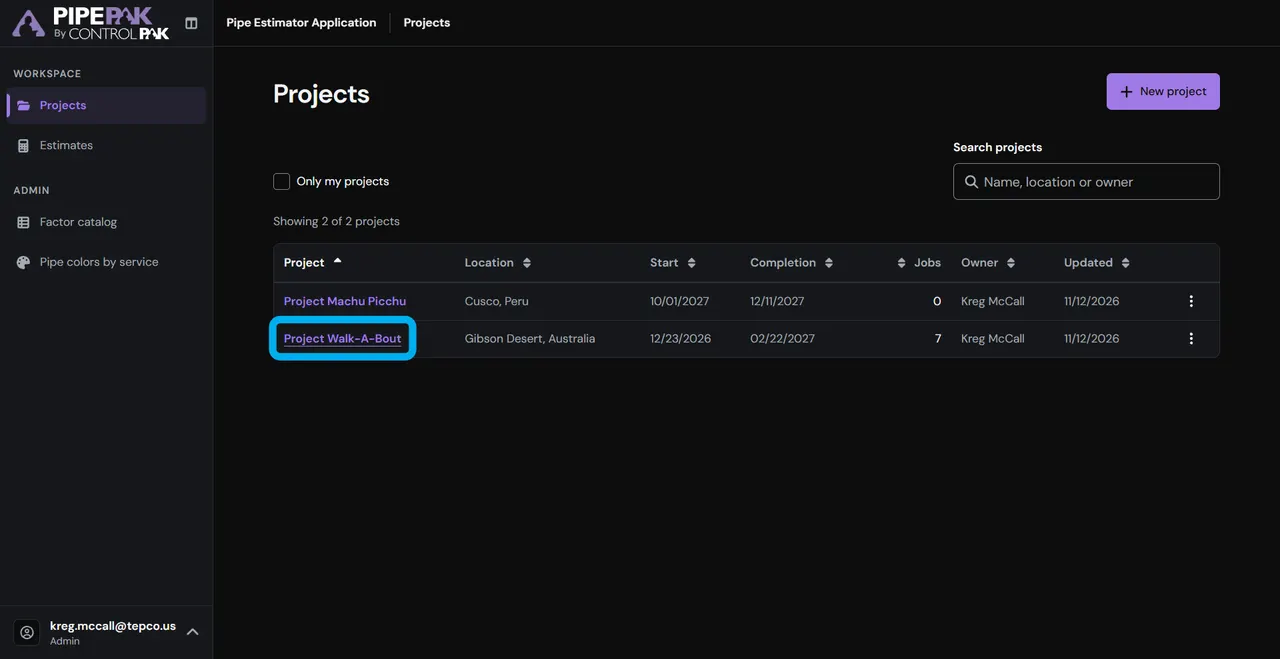
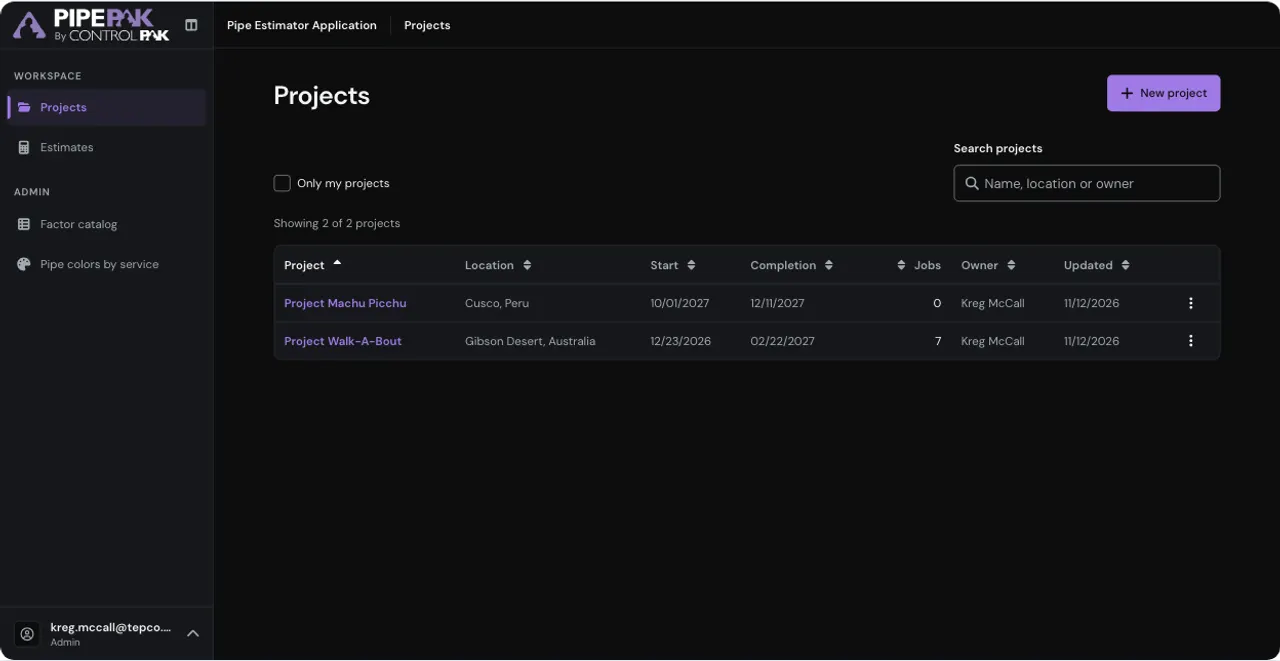
Open the project

Select “Project Walk-A-Bout.”

Step 2 of 18

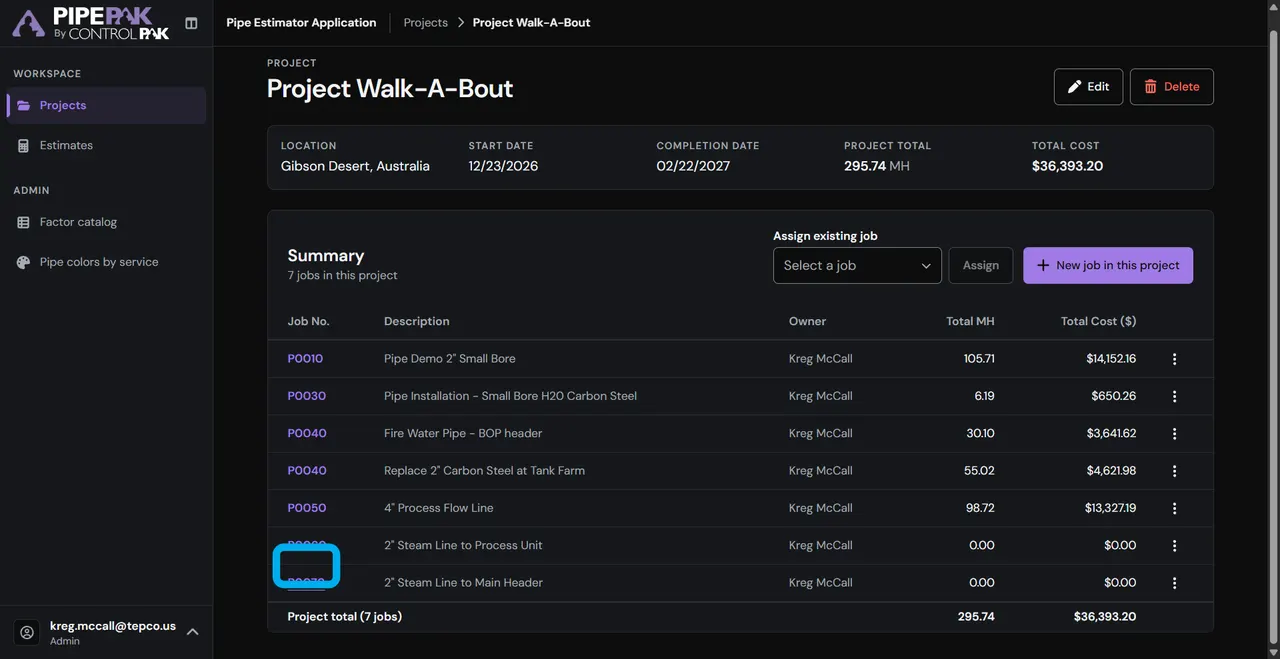
Open the job

Click “P0070.”

Step 3 of 18

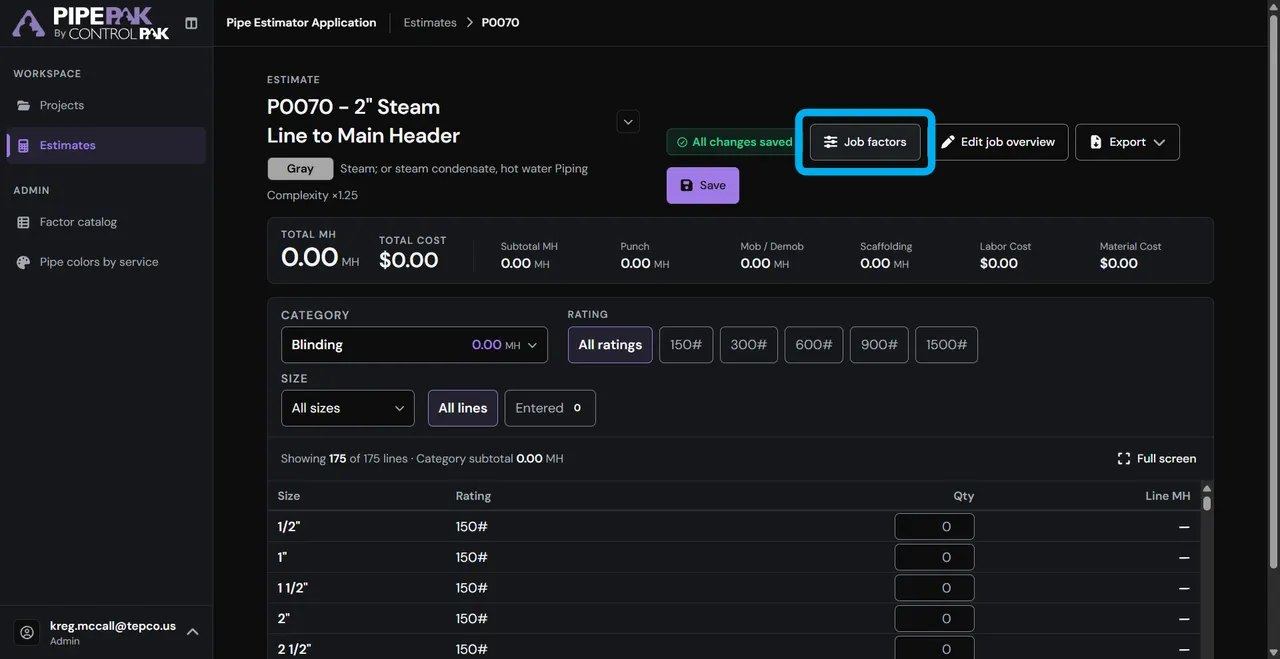
Set job factors

Click “Job factors.”

Step 4 of 18

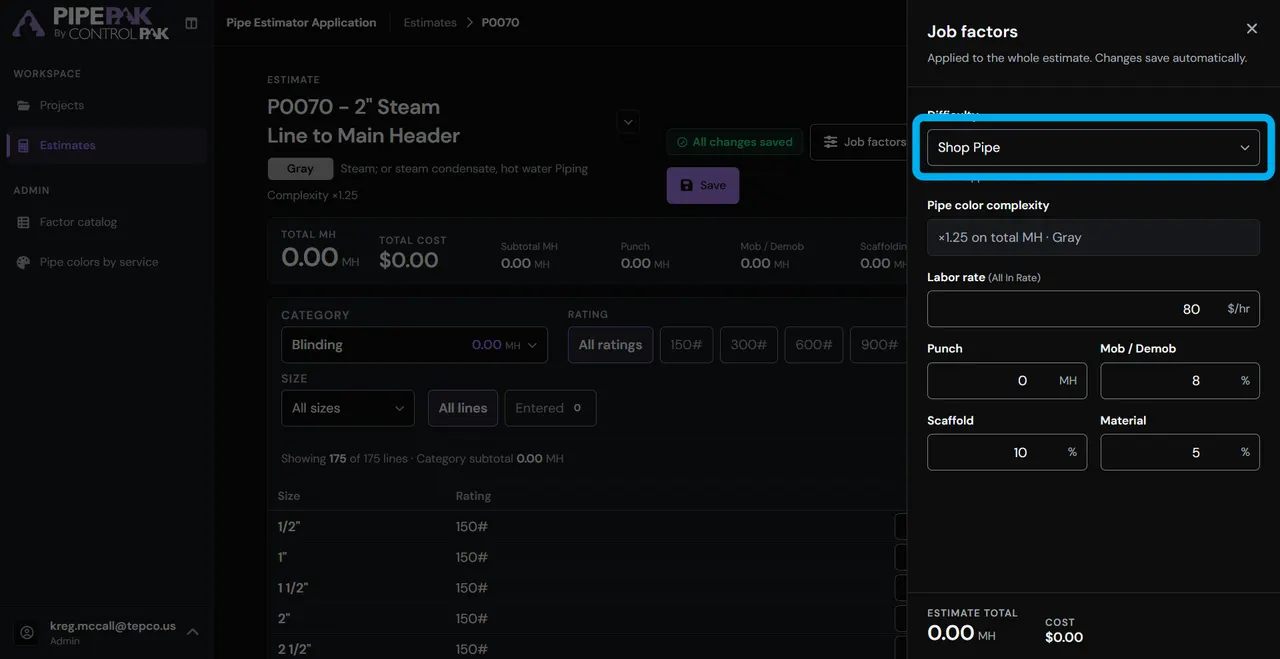
Difficulty

Click “Difficulty.”

Step 5 of 18

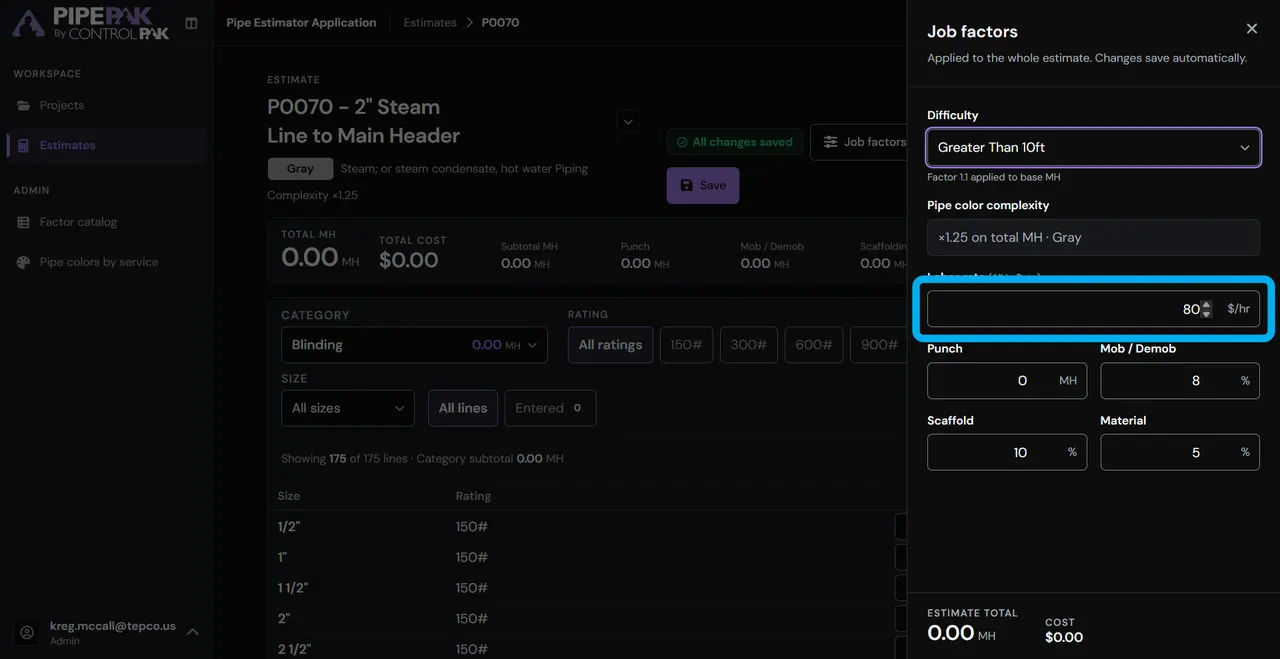
Labor rate

Click “Labor rate (All In Rate).”

Step 6 of 18

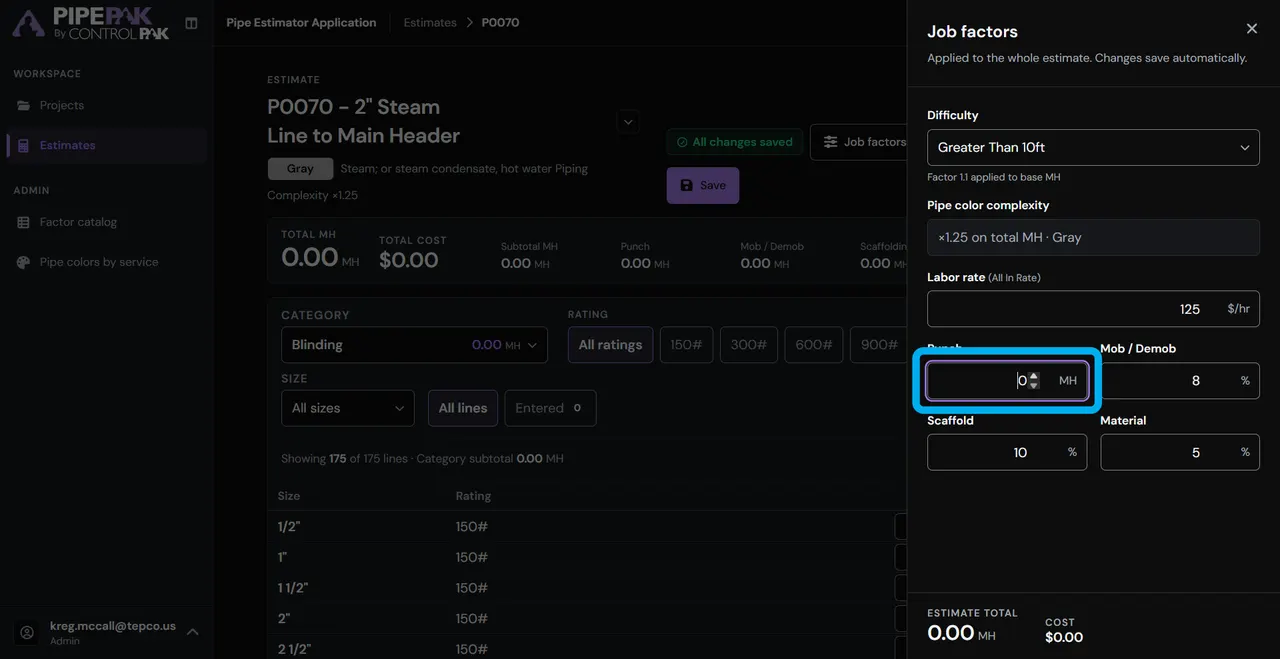
Punch items

Enter the number of “Punch” items.

Step 7 of 18

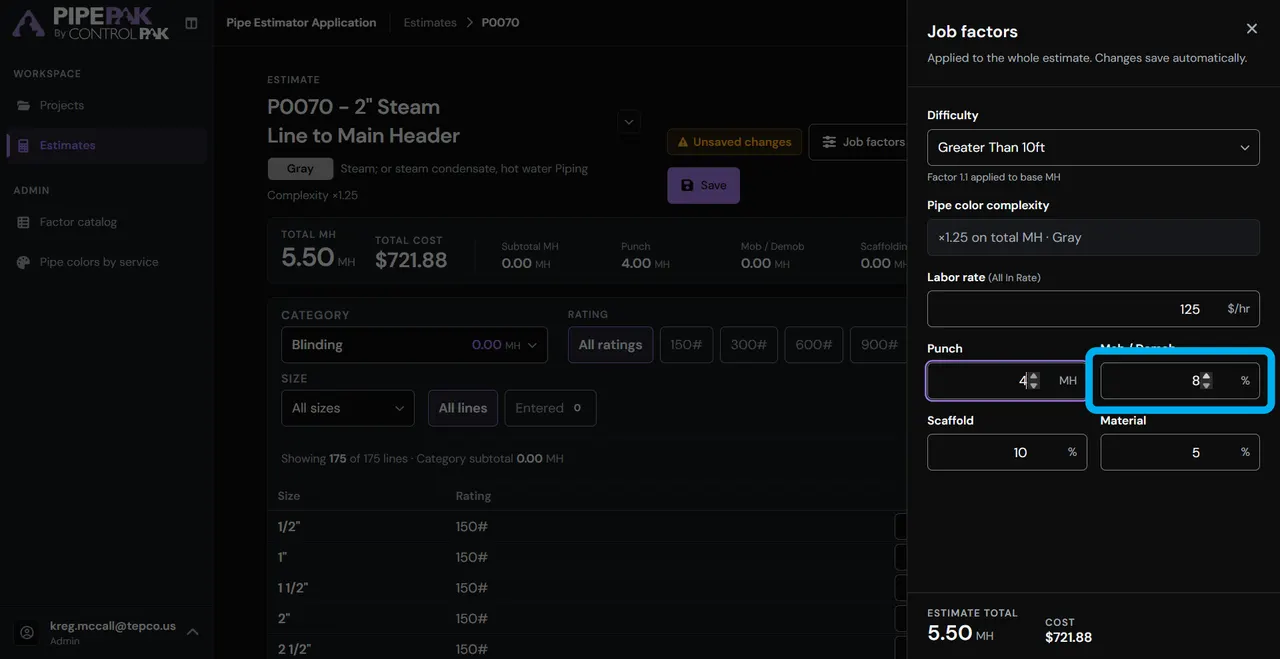
Mob / Demob

Enter the % for “Mob / Demob.”

Step 8 of 18

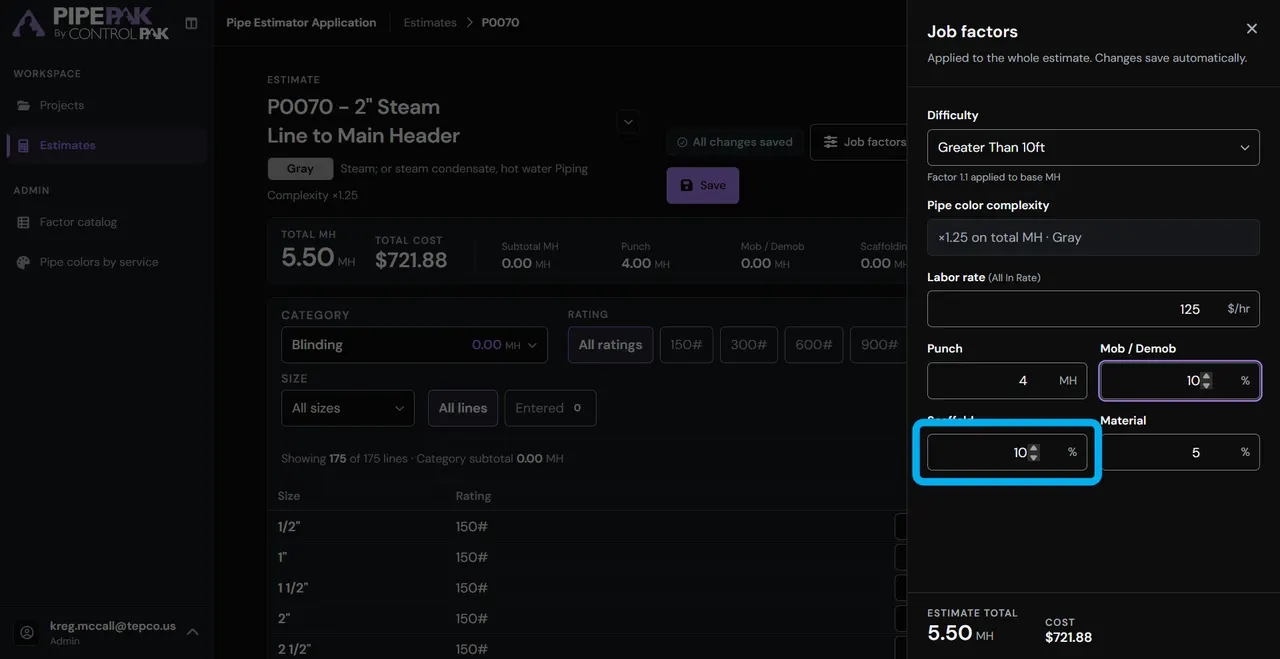
Scaffold

Enter the % for “Scaffold.”

Step 9 of 18

Material

Enter the % for “Material.”

Step 10 of 18

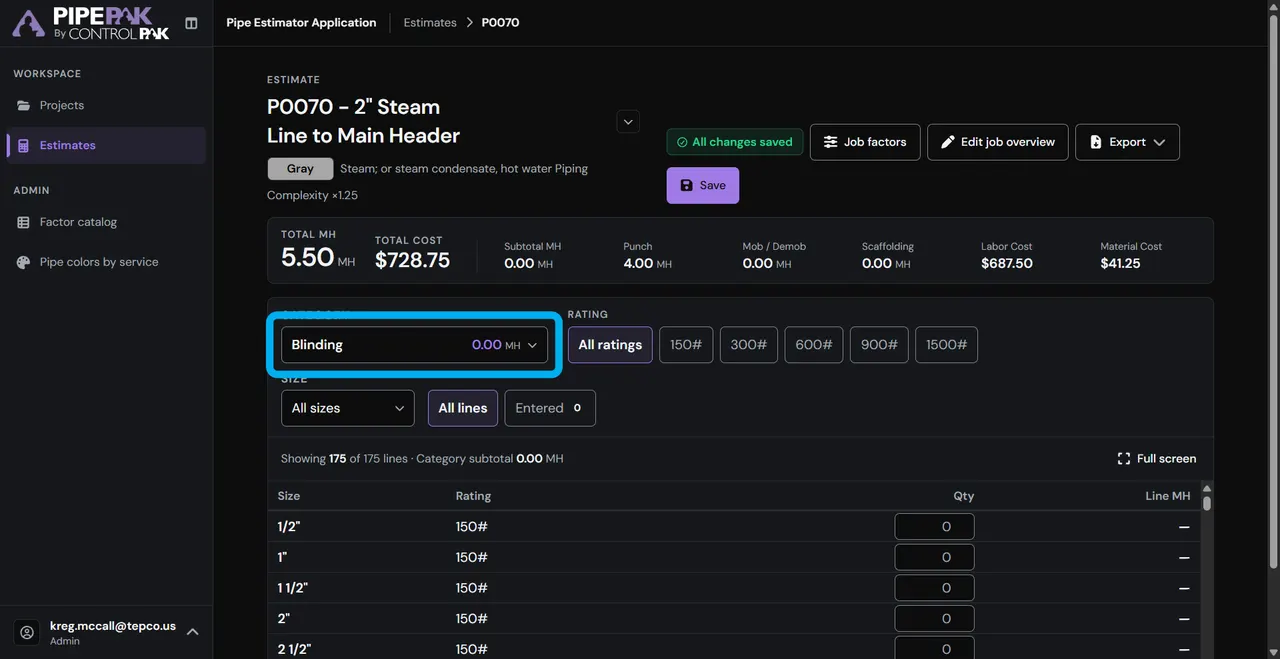
Choose the work

Use the drop-down to select the work you’ll be doing.

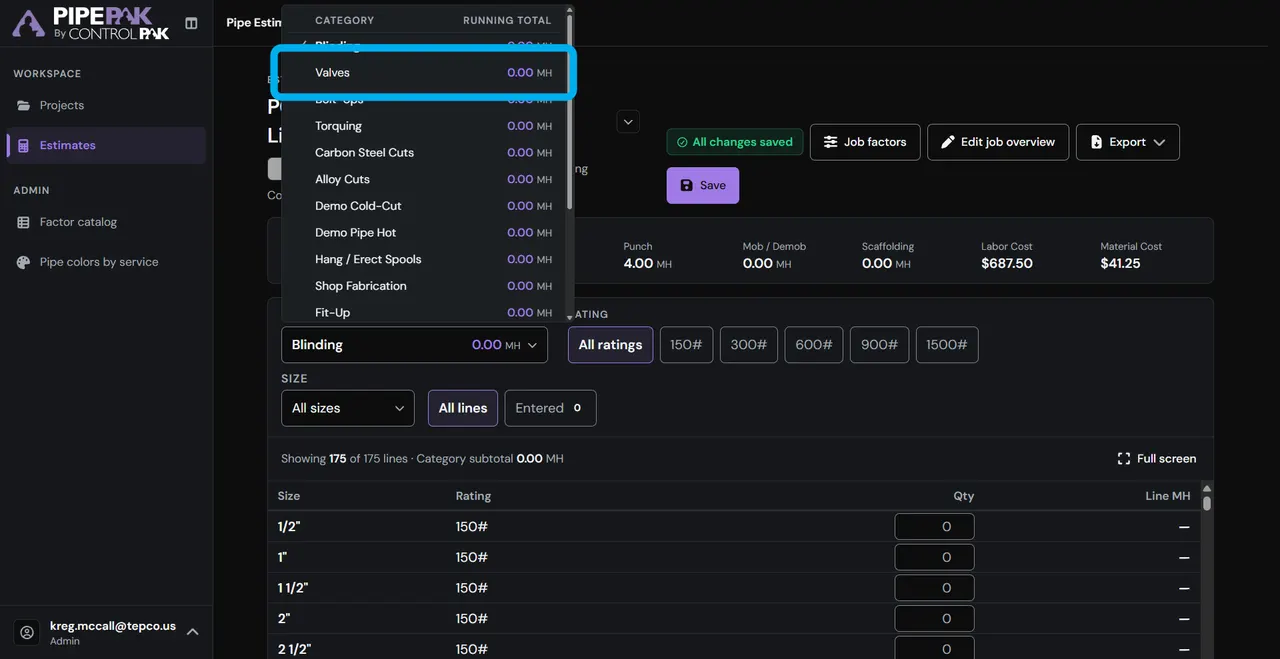
Step 11 of 18

Valves

Select “Valves.”

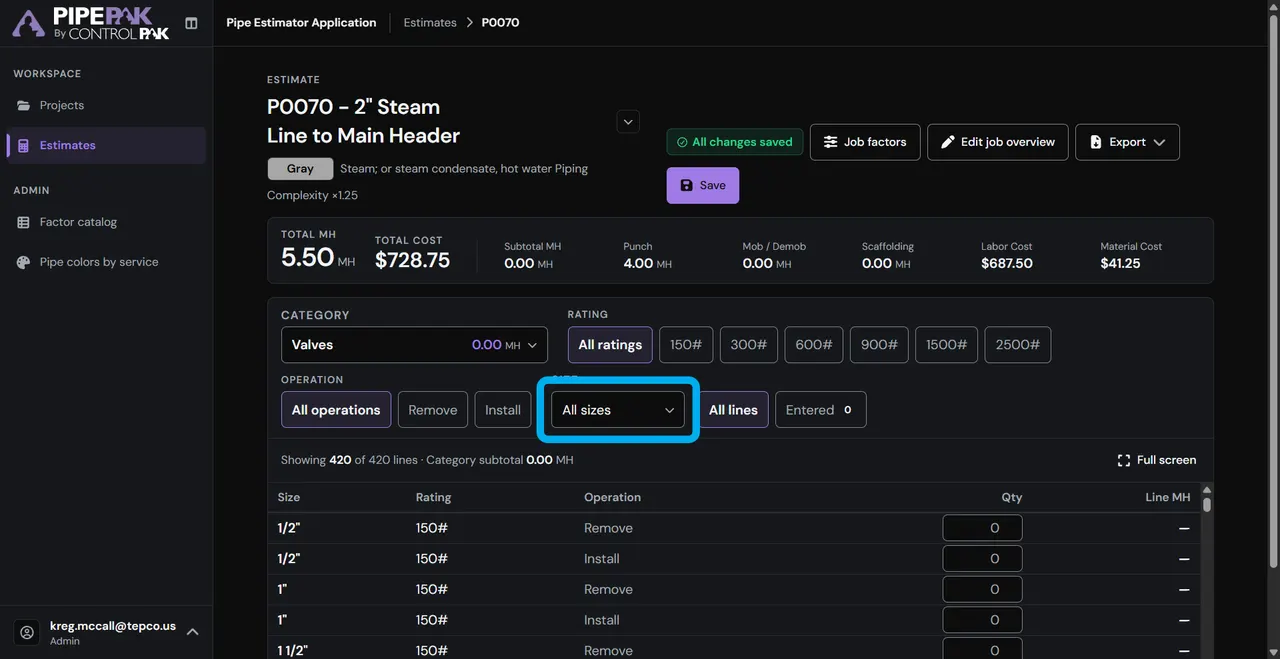
Step 12 of 18

Size

Choose the “Size.”

Step 13 of 18

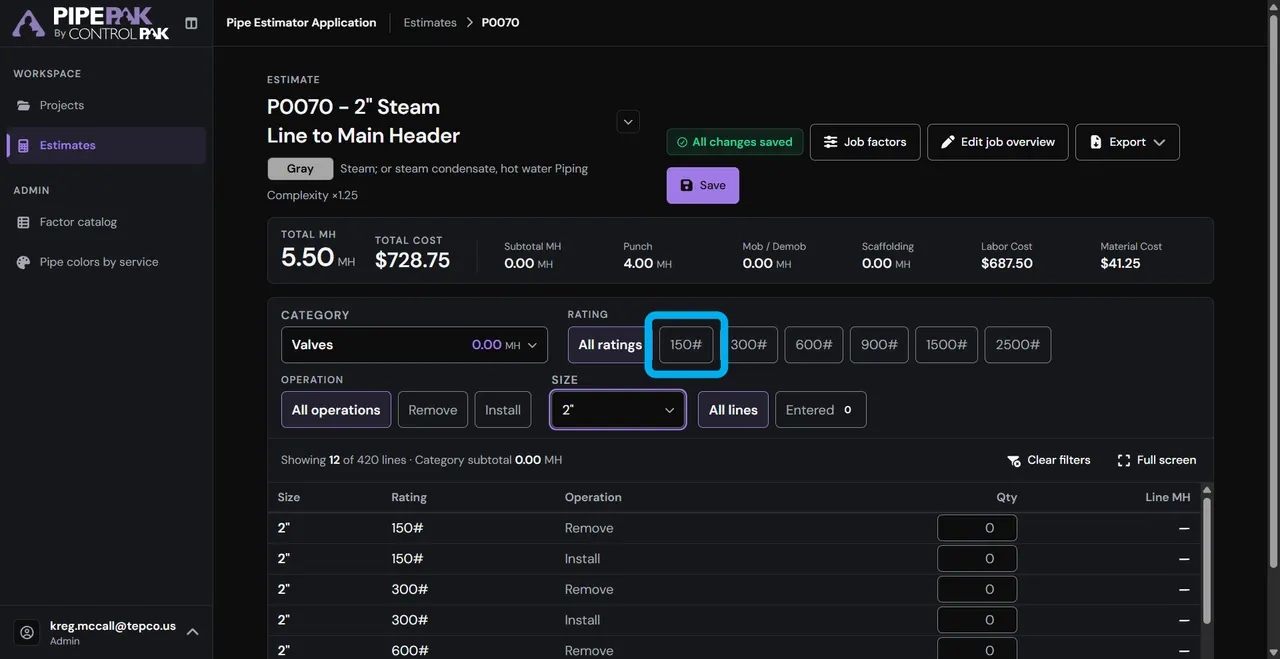
Pressure rating

Choose the “150#” pressure rating.

Step 14 of 18

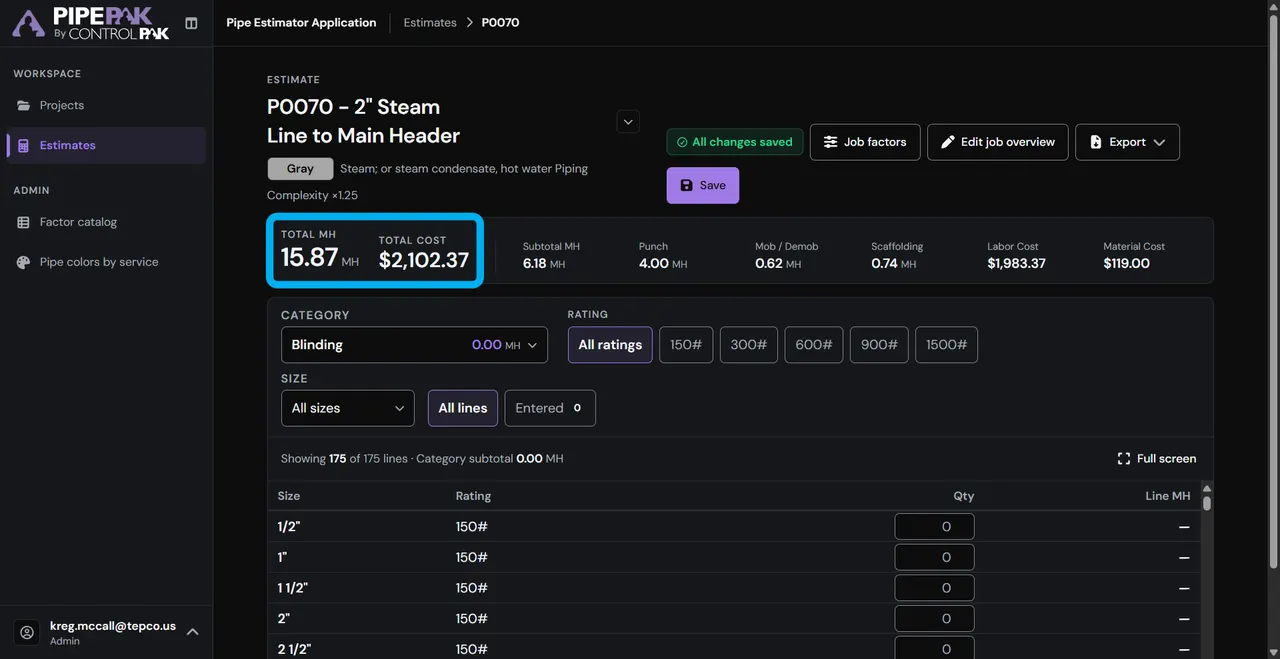
Estimated value

See the estimated value based on your selections.

Step 15 of 18

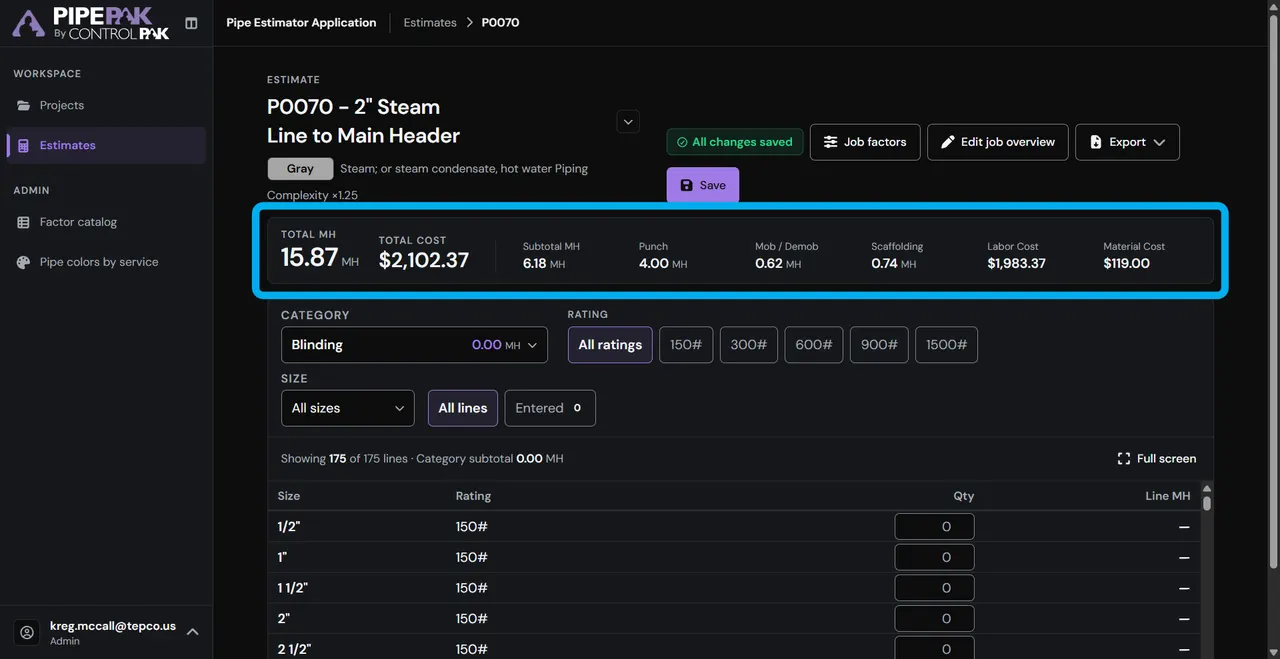
Summary information

All the summary information is shown here too.

Step 16 of 18

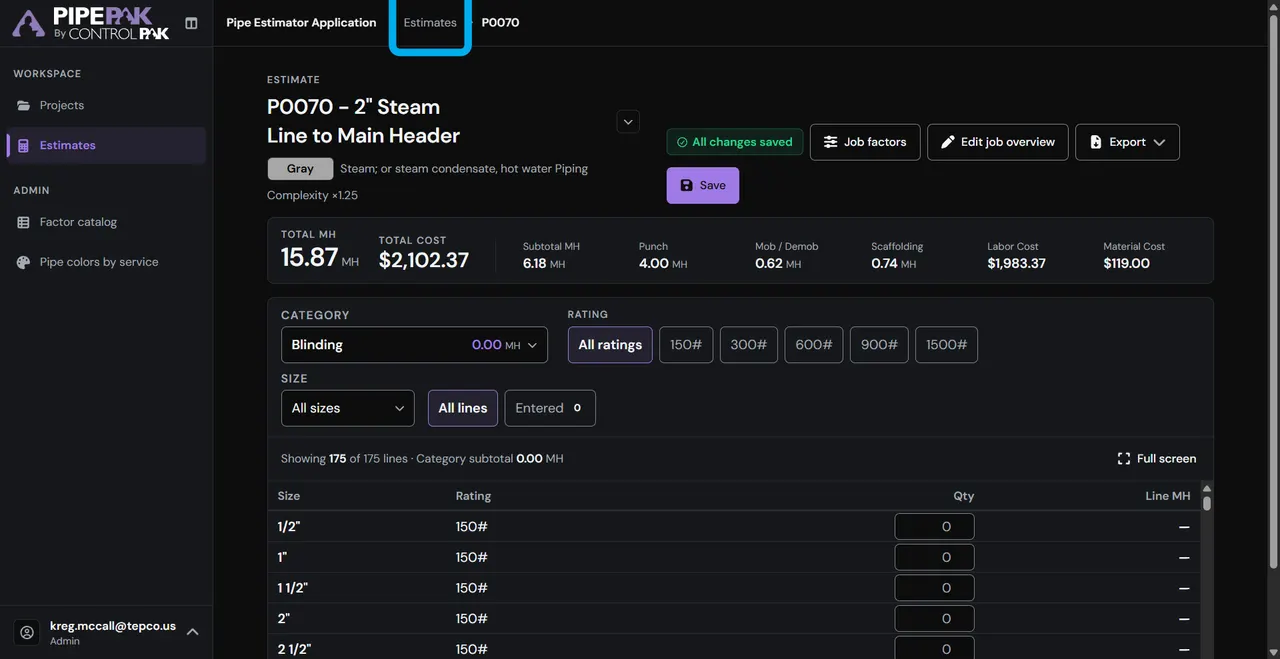
Back to the summary

Go back to the Summary Estimate page.

Step 17 of 18

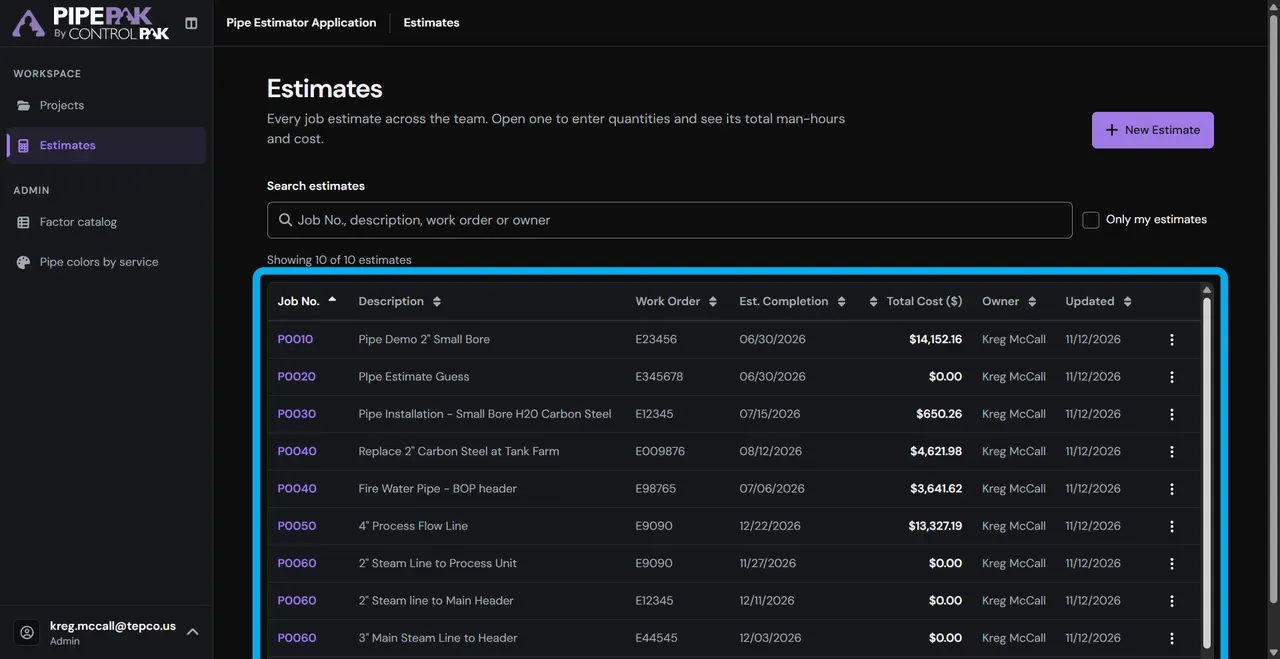
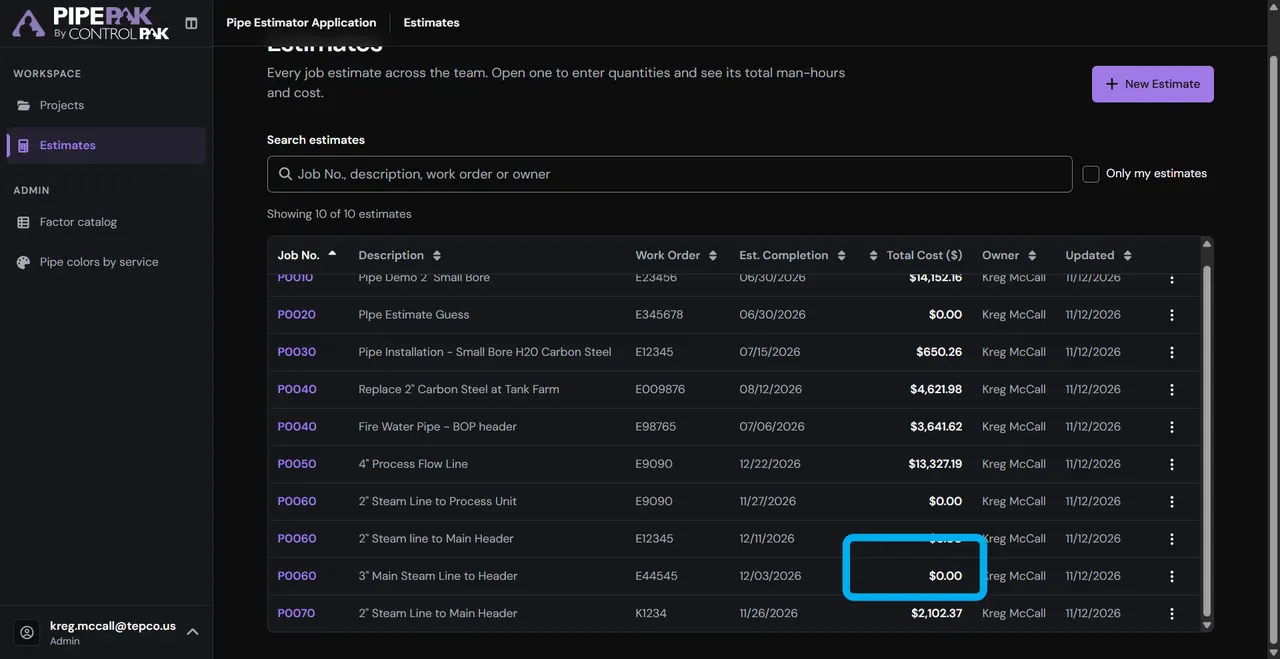
All pipe estimates

All pipe estimates for the project are in one list.

Step 18 of 18

Your estimate

Here’s what you have so far. That’s PipePAK Estimate Development.

Try the interactive version

Inside PipePAK

What it looks like

Jobs grouped under projects, quantities entered by work category, and a live rollup of man-hours and cost, laid out for a tablet in the field.

  • Projects & jobs

    Group jobs under a project with its location and dates, and see the project's total man-hours and cost beside each job's.

  • 17 work categories

    Pick a category, from blinding and valves to weld-outs and hydro, each showing its running total in man-hours.

  • Quantity grid

    Enter quantities by pipe size, pressure rating and operation, and each line's man-hours appear as you type.

  • Job factors

    Set the difficulty, labor rate, punch, mob/demob, scaffold and material factors, with the estimate total updating as you edit.

  • The cover rollup

    Subtotal, punch, mob/demob and scaffolding roll up to total man-hours, labor cost, material cost and total cost.

  • Pipe colors by service

    Give a job its pipe color, from fire water to steam, and that service's complexity factor is applied to its man-hours.

  • Exports & reports

    Export an estimate to PDF to share, or to Excel with every line item, and see every project's man-hours and cost in one report.

  • Factor catalog

    Admins edit the man-hour factors by category, with a catalog version and a history of each factor edit.

Questions

Common questions about PipePAK

What is PipePAK?

PipePAK is ControlPAK's piping man-hour estimating software. Planners group jobs under projects, enter quantities by work category and see total man-hours, labor cost, material cost and total cost as they work, on a tablet.

How does PipePAK calculate an estimate?

Each line's man-hours are its quantity times a man-hour factor, looked up by work category, pipe size, pressure rating and operation. The lines add up to a subtotal. Punch is added, along with mob/demob and scaffolding (each a factor of the subtotal), and that sum is multiplied by the job's difficulty factor and its pipe color's complexity factor to give total man-hours. Labor cost is total man-hours times the labor rate, and material cost is a factor of labor cost.

Which work categories does PipePAK cover?

Seventeen: blinding and deblinding, valves, bolt-ups, torquing, carbon steel cuts, alloy cuts, demo cold-cut, demo pipe hot, hang and erect spools, shop fabrication, field fit-up, carbon weld-out, alloy weld-out, tie points, steam trace and tubing, supports, and hydro.

Do saved estimates change when the factors are updated?

No. Each line keeps the man-hour factor it was entered with, and each job keeps its pipe color's complexity factor, so later edits to the catalog or the color chart never change a saved estimate.

Can I export an estimate?

Yes. Export a PDF summary to share, or an Excel workbook with a summary sheet and a line items sheet listing every saved quantity, factor and line's man-hours. A project values report lists every project with its total man-hours and total cost.

Who can change what in PipePAK?

Planners can view every project and estimate; create, edit, duplicate and delete their own; export; and view reports. Admins can also edit the man-hour factor catalog and the pipe color chart.

See it on your own projects

A live walkthrough on your workflows, with the ControlPAK team.

Request a demo